
My WLED Christmas Lights
Jan 2026I've got some Christmas lights on the front of my house.
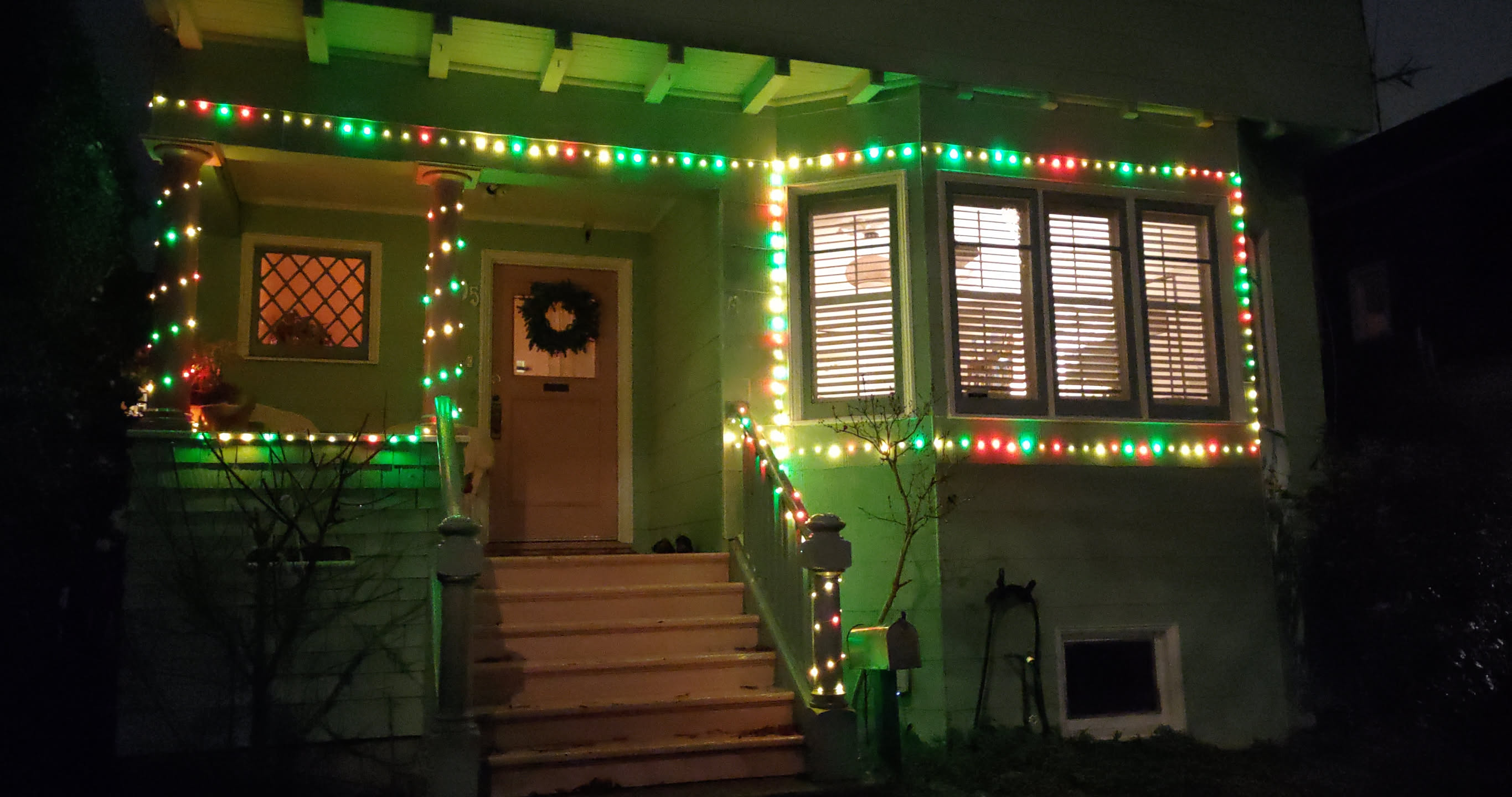
I actually leave these on all year long, and use different colors/patterns at different times of the year. These are WS2812 (or compatible) LEDs, which are readily available and cheap. The signal protocol for WS2812 lights is pretty ingenious, and it always amazes me just how fast modern electronics are. To shift out 24 bits of color to each of 100 LEDs, it takes ~125 microseconds. This means you can run animations on these LEDs at around 8,000 frames per second!
I think the lights on my house are these ones from Amazon. I cut off the USB controller that comes with the lights, and solder my own 3-wire pigtail onto them. These lights don't actually implement the standard WS2812 protocol. Instead of grabbing the first 24 bits and then shifting out the rest of the data to the next LED, the LEDs in these strings know their position in the string. This means you can't connect two of them in series -- or rather, you can, but the second string will just display whatever the first string displays. Also, if you cut off the first LED, then the first 24 bits will just go into the void. Still, it's hard to beat the price and ready availability.
I control these using an ESP32 chip running WLED. This lets me use an app on my phone and pick from a bunch of pre-defined color palettes and patterns. I can set specific presets to turn on at specific times of day.
Weatherproofing
One problem I've had has been weatherproofing the ESP32 controllers. People generally expect that any amount of water combined with any kind of electricity or electronics will result in a catastrophic reaction. In practice, I've found that most electronics, especially low-voltage devices, are reasonably water-resilient. For instance, the LED strings I'm using are not explicitly rated for any kind of water resistance, but seem to do okay left out in the rain for multiple seasons.
On the other hand, getting rainwater into my microcontrollers has not worked out well for me. My initial outdoor controller died after the first rain, losing my hard-programmed schedules and presets. Here's my v2:
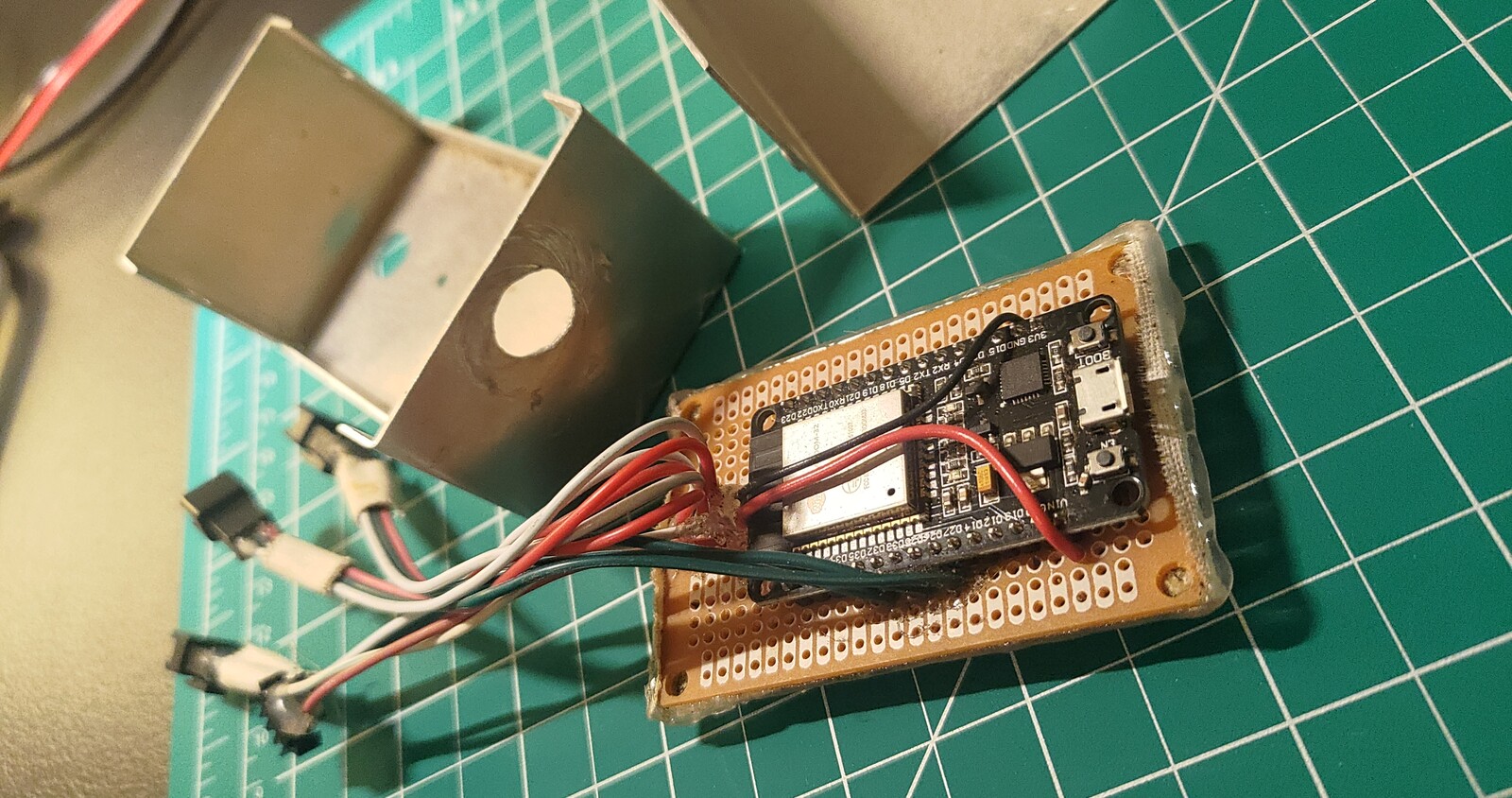
All I had on hand was this metal enclosure. To avoid the project board shorting out, I covered the bottom with tape and then hot glue. I also hot-glued the wires to avoid water build-up. This version lasted through one wet season, but then shorted out soon after I moved to Berkeley.
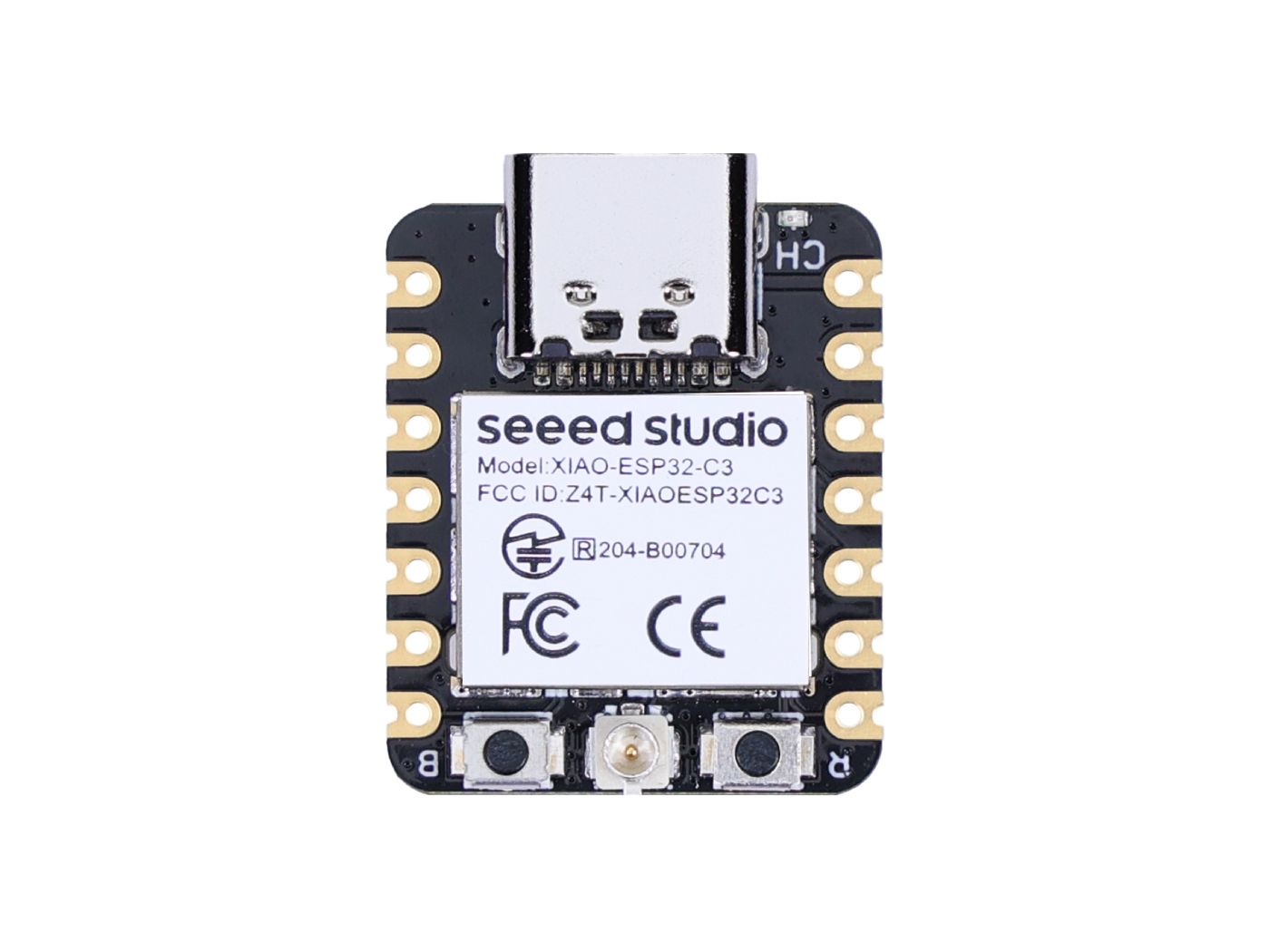
I decided v3 would be the final version, and got actual waterproof enclosures. I drilled a hole for the wires, and epoxied over the hole with waterproof epoxy. I dispensed with the project board, and just soldered the wires directly to the microcontroller. I also got a much smaller microcontroller, a Seeed Studio XIAO, to make sure I had space in the enclosure. Here's my v3:
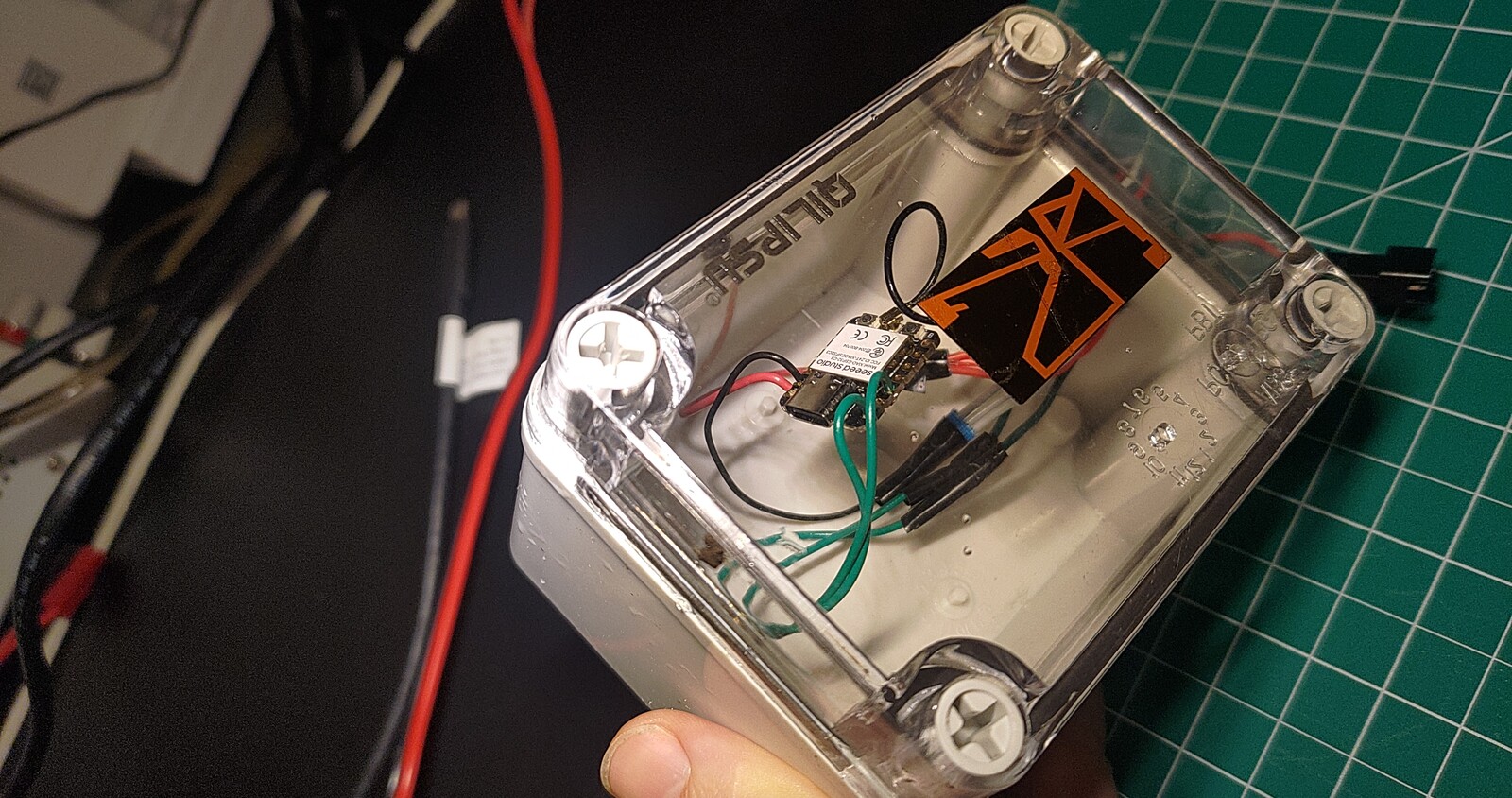
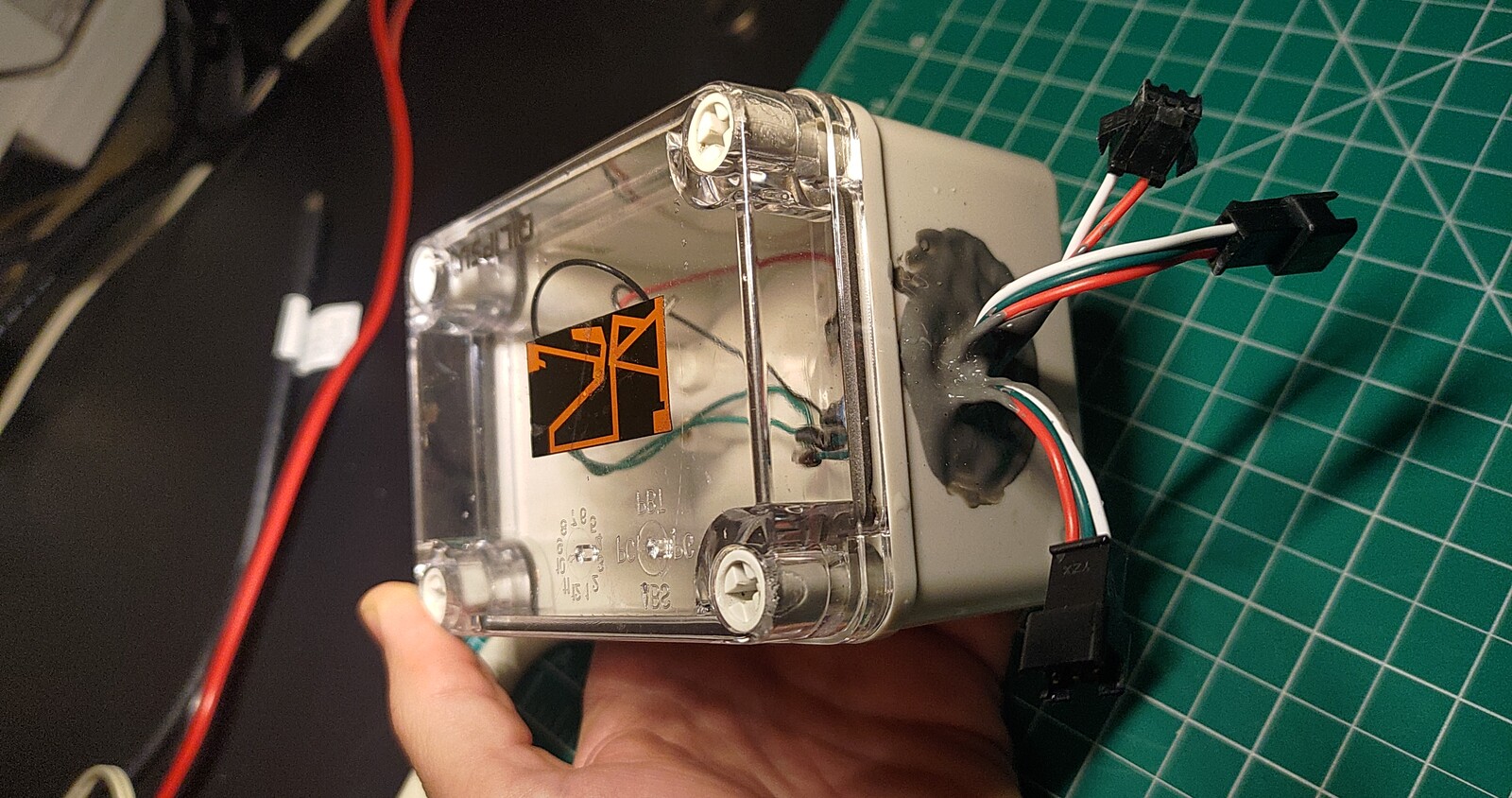
I'm using this enclosure, which ended up being generously large given how small the microcontroller is. The black sticker on the lid is the WiFi antenna from the XIAO. Of the three pigtails, one is for power, and the other two are for driving two separate strings of LEDs.
Flashing
I wanted to install WLED on my new ESP32C3 microcontrollers, but the official directions on the WLED site are pretty out-of-date.
The recommended approach is to use the WLED web installer.
However, this doesn't work in Firefox.
Trying to use Chromium on my Arch Linux laptop also didn't work, giving me the error Serial port is not ready. Close any other application using it and try again.
Asking an LLM to help me debug the issue was similarly unproductive.
I eventually resorted to analyzing the web installer's source code to figure out what the website is doing.
The important file seems to be build.py.
The official WLED releases include a binary build for just WLED itself.
However, for ESP32C3, there are at least 3 additional files necessary:
- bootloader -- initializes the microcontroller. This comes from Espressif, the maker of the ESP32
- partitions -- a map of the flash space, read by the bootloader to understand how to run the main code
- boot_app0 -- used by the OTA update process to understand which version of the app to run, kinda like the slots in an Android filesystem
All of these files are available in the web installer's repo.
My job was to parse through build.py and the relevant _template.json file for my ESP32C3 microcontroller to figure out the correct files and flash offset locations.
This resulted in the following incantation to get WLED running on the controller:
$ esptool --port /dev/ttyACM0 write_flash 0x0 bootloader_esp32c3.bin
$ esptool --port /dev/ttyACM0 write_flash 0x8000 partitions_v2022.bin
$ esptool --port /dev/ttyACM0 write_flash 0xE000 boot_app0_v2022.bin
$ esptool --port /dev/ttyACM0 write_flash 0x10000 WLED_0.15.3_ESP32-C3.bin
This took me the better part of 2 hours to figure out, so I'm writing it down to help you (who might be future me).
Powering
With the controller flashed and weatherproofed, the final boss is powering the whole setup outdoors. I've got 200 LEDs at, say, 50mA per LED, equalling 10A or 50W of (peak) power. I haven't been able to find any weather-resistant power bricks that can source that much current on Amazon. Something like 3A or 5A is more typical, and even then the weather resistance is questionable, as is voltage sag at higher currents.
I ended up getting a 12V power brick; those are readily available on Amazon at 3A and even 5A, with good reviews and (claimed?) UL listing. A smaller brick fits pretty well in my outdoor receptacle, which keeps it out of the direct rain. I then connected it to a 5V voltage regulator, which is potted and actually does seem pretty waterproof. With 3A at 12V, I'm limited to 36W of power, somewhat below my estimated 50W. Thankfully, you can set the current limits in WLED, and it will automatically limit LED brightness in software to avoid exceeding your power budget. In practice, my LEDs seem bright enough.